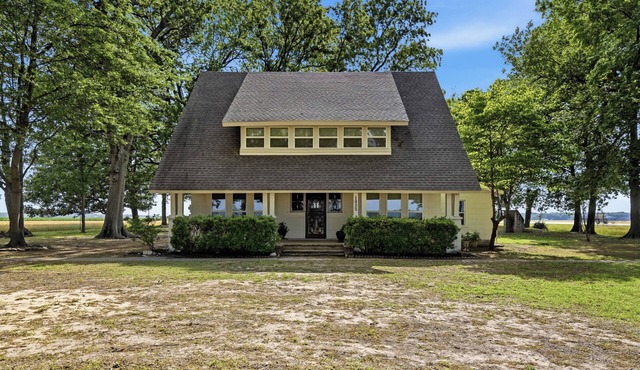

Family Camper for 6 | House in Gore



2 Bedroom House in Gore
ome away from home!
*The Byrd's Nest*
2021 Apex ultralight 290 BHS
The Byrd’s Nest is our home away from home! We have enjoyed every minute we've stayed in it. We've created many, many memories and desire for others to enjoy it as much as we have! We officially have it stationed at a brand new campground and we are pretty excited about it! Our hope is that you leave The Byrd's Nest feeling refreshed and relaxed, having created memories you’ll talk about for years to come!
The space
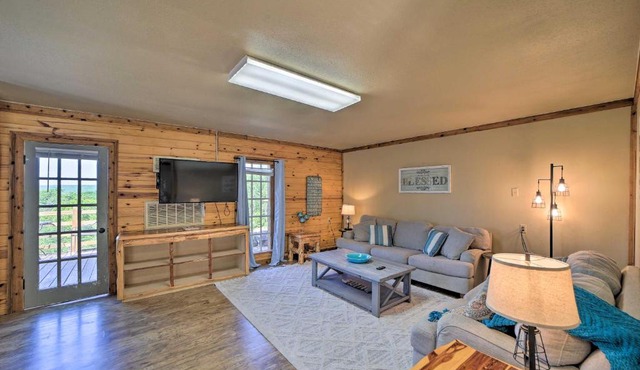
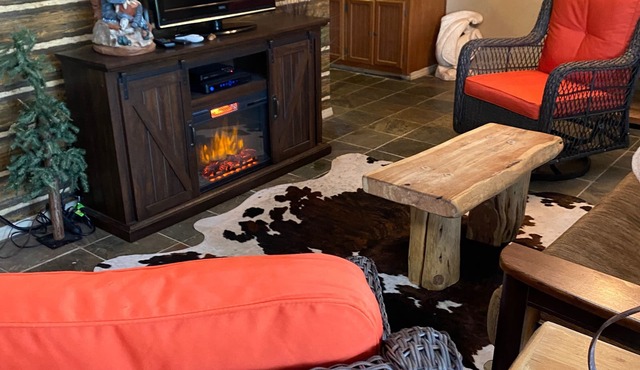
As you walk in the main door, you will notice the 2 recliners, dinette, kitchen, a fireplace, and a tv. To the right is a private room with a queen size bed, with storage and closet spaces, along with a linen closet. To the left of the main entrance is the bathroom and shower, and two full size beds (bunk).
Guest access
You will have access to the whole Camper.
Other things to note
Operation of Camper:
Thermostat:
Turn off - hold power/mode button until screen goes off.
Turn on - hold power/mode button until screen turns on.
~3 options:
- Cool/Heat/Fan - switch to desired option by clicking on the power/mode button. (No need to hold down)
~Cooling option:
~Manage temperature using up or down buttons.
~Heat option:
~Manage temperature using up or down buttons.
~Fan option:
L - low
H - High
A - Auto on and off passed on desired temp setting.
Stove/Oven:
~Turn on stove -
~Step 1 - Turn dial of the desired burner on high, then turn the dial with flame symbol next to it to the right immediately after.
-Continue to turn the dial with the flame to the right until burner is on. (There should be a clicking sound with each time you turn the flame dial to the right).
~Turn on oven -
~ Please follow same instructions above using the dial with temperature numbers to the far right instead of burner dials.
(Takes longer for oven to turn on, be patient. You will know the oven is on when the flame inside the roof of the oven turns on - again, there will be a clicking sound as you turn the flame dial to the right until oven turns on).
~Once on, make sure to turn the temperature dial to the desired temperature.
Please do not forget to turn off the oven when you are done using it.
Family Camper for 6 is located in Gore. Family Camper for 6 provides accommodation, featuring Child Friendly, among other amenities. This House features Child Friendly to make your stay a comfortable one.
Family Camper for 6 has 2 Bedrooms , 1 Bathroom, and max occupancy of 6 people. The minimum rental for this property is 1 nights, but this can change depending on the season you plan on staying. Previous guests have given good rated it, and VRBO labeled it a top-rated House because of the excellent services rendered by the owner or manager of this House, and has consistently provided great experiences for their guests. Most families or guests that use it recommend it to their friends and some of them are repeat guests. House has a friendly neighborhood, and the Gore has interesting places to visit. If you want to learn more about the House in Gore, such as places to visit and things to do nearby, you can check below to learn more.

This Property is OneKey Eligible
Earn OneKeyCash for every dollar spent on eligible vacation rentals, villas, cottages, cabins, and more when you book on Vrbo.
Amenities
Facility Overview
-
1 bathroom
-
2 bedrooms
-
No pets allowed
-
Smoke-free property
-
Sleeps 6
Policies
Extra-person charges may apply and vary depending on property policy government-issued photo identification and a credit card, debit card, or cash deposit may be required at check-in for incidental charges onsite parties or group events are strictly prohibited special requests are subject to availability upon check-in and may incur additional charges; special requests cannot be guaranteed this property is managed through our partner, vrbo. you will receive an email from vrbo with a link to a vrbo account, where you can change or cancel your reservation
FAQ's
Is this Family Camper for 6 pet-friendly for guests?
No, pets are not allowed at this property. Check the guest reviews to learn what guests had to share.
Does the Family Camper for 6 have a swimming pool?
No, this Family Camper for 6 does not have a swimming pool. Check the Facility Overview section for details about the pool and other available facilities.
How much does it cost per night to stay in Family Camper for 6?
Best-rates for the Family Camper for 6 starts from $64 per night with includes Child Friendly with all other facilities. matches every traveler with their perfect accommodation, whether you are traveling with a group, friends, family, or pets.
Is Family Camper for 6 a family-friendly place to stay?
Based on the information we have received from the owner or our partner, this is considered to be a family-friendly property. Families have rated this house Good or guests have recommended them suitable for families. As reported by the owner or manager, the house has specified that children are welcome. Please see details about suitability for your family or inquire with the property to learn more.
Is the Family Camper for 6 wheelchair accessible or offer services for disabled guests?
Based on the information received from our partner, the Family Camper for 6 has not specified they are wheelchair accessible. Likewise, there is not an elevator specified as being available at the property. Specific accessibility details may be addressed in the property details section of this page.
What is the minimum night stay policy for the Family Camper for 6?
Based on the information reported by the owner or manager, the Family Camper for 6 indicates 1 day stay policy at this house. Guests are cautioned that the minimum stay policy may differ based on seasonality or availability and may be at the discretion of the owner or manager.
What cancellation policy is in place for Family Camper for 6?
Guests are cautioned that the cancellation policy may differ based on seasonality, availability, or current travel restrictions. Guests should also be aware that this policy may be subject to change and should be confirmed prior to booking. More details may be available on this page in the property description. However, early check-in or late check-out can sometimes be negotiated between the guest and the owner or the manager of this property.